
Download Wikipedia Article AI – Instant AI‑Powered Wikipedia Article Creator
Overview
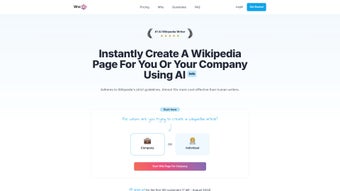
Wikipedia Article AI is a cutting‑edge machine‑learning application that transforms the way individuals, businesses, and organizations create and edit Wikipedia entries. By feeding the tool a brief description of a person, company, product, or cause, the AI instantly generates a fully‑structured article that adheres to Wikipedia’s strict content guidelines. The platform eliminates the need for manual research, drafting, and formatting, delivering a polished draft in seconds rather than hours or days.
Its training data is specifically curated from existing Wikipedia pages, policy documents, and community consensus, which significantly raises the odds of the article surviving the community review process. Whether you are a startup looking to establish an online presence, a PR professional managing brand reputation, or an academic needing a quick factual entry, Wikipedia Article AI offers a cost‑effective, secure, and user‑friendly solution. The service operates on a subscription model that is far cheaper than hiring a professional writer, and it includes a 14‑day money‑back guarantee, making the investment virtually risk‑free.
Compatibility spans all major operating systems, including Windows 10/11, macOS 10.15+, and major Linux distributions, as the platform runs entirely in the cloud via a responsive web interface. No downloads are required, and all data transfers are encrypted with TLS 1.3, ensuring that your confidential project details remain private.
Key Features & Benefits
Feature List
- Instant article generation from a 2‑sentence prompt.
- AI trained on Wikipedia’s style guide and community standards.
- Automated citation insertion with reliable source linking.
- Real‑time compliance checker that flags policy violations.
- Multi‑language support for English, Spanish, German, French, and more.
- One‑click export to Wikipedia’s edit window or markdown file.
- Version history and revision comparison tools.
- Secure cloud processing with end‑to‑end encryption.
- Scalable pricing plans for freelancers, SMEs, and enterprises.
- 14‑day risk‑free refund policy.
How It Works – Step‑by‑Step
The workflow is deliberately simple to accommodate users with any technical background. First, you sign up on the web dashboard and select the “Create New Article” option. Next, you provide a concise brief—typically a name, a short description, and any key facts you want highlighted.
The AI parses this input, cross‑references its knowledge base, and assembles a draft that includes an opening summary, a structured body with headings, and properly formatted references. A compliance overlay then scans the draft for potential policy breaches such as original research, promotional language, or unverifiable claims, offering suggestions for improvement. Finally, you can either copy the generated wiki markup directly into Wikipedia’s editor or download it as a markdown file for offline review.
The entire process—from login to final draft—takes less than three minutes on average.
Installation & Usage Instructions
Because Wikipedia Article AI is a cloud‑based SaaS, there is no traditional installation required. To get started, follow these steps:
- Create an account: Visit wikipediaarticle.ai and click “Sign Up”. Use a valid email address; you’ll receive a verification link.
- Select a plan: Choose between the “Free Starter”, “Professional”, or “Enterprise” tier. All plans include a 14‑day money‑back guarantee.
- Access the dashboard: After logging in, navigate to the “Create Article” tab.
- Enter your prompt: Provide the subject name, a brief description, and any mandatory facts.
- Generate & review: Click “Generate”. The AI will present a draft with a compliance score.
- Export: Use the “Copy to Clipboard” or “Download Markdown” button. If you have a Wikipedia account, you can paste the markup directly into the Wikipedia editor.
For power users, the platform also offers an API key that can be integrated into custom workflows, allowing bulk article generation or automated updates to existing pages. Documentation for the API is available under the “Developers” section of the dashboard and includes example cURL commands, SDKs for Python and JavaScript, and rate‑limit details.
Pros and Cons
Advantages
- Speed: Generates a complete, Wikipedia‑ready draft in under two minutes.
- Cost‑effective: Subscription fees are a fraction of the price of hiring a professional writer.
- Compliance‑focused: Built‑in policy checker reduces the risk of article deletion.
- Cross‑platform: Works on any device with a modern browser, no OS restrictions.
- Secure: All data is encrypted in transit and at rest, protecting confidential information.
- Scalable: API access enables enterprises to automate large‑scale content creation.
Limitations
- Learning curve for Wikipedia policies: Users still need basic knowledge of notability and sourcing.
- Dependence on internet connection: As a cloud service, offline work isn’t possible.
- Limited creative nuance: The AI may produce generic prose that requires human polishing for tone.
- Subscription model: No perpetual license; ongoing cost for continued use.
- API rate limits: Free tier imposes strict caps, which may hinder high‑volume users.
FAQ & Final Verdict
Frequently Asked Questions
Is Wikipedia Article AI compliant with Wikipedia’s neutral point of view policy?
Yes. The AI is trained on a large corpus of existing Wikipedia articles and includes a built‑in compliance checker that flags promotional language, bias, or original research. While the tool greatly reduces violations, editors should still review the final draft for nuanced neutrality.
Can I use the generated content for other platforms, like my company blog?
Absolutely. The output is provided in standard wiki markup or markdown, which can be easily adapted for blogs, press releases, or marketing materials. Just ensure you respect the licensing terms of the original sources.
What languages does Wikipedia Article AI support?
The platform currently supports English, Spanish, German, French, Italian, Portuguese, Dutch, Russian, Japanese, and Chinese. Additional languages are being added based on community demand.
How secure is my data when I upload proprietary information?
All communications are encrypted with TLS 1.3, and data at rest is stored using AES‑256 encryption. Wikipedia Article AI adheres to GDPR and CCPA standards, ensuring that personal or confidential data is never shared with third parties without explicit consent.
What is the refund policy if I’m not satisfied?
A full refund is available within the first 14 days of subscription. Simply contact support with your account details, and the amount will be returned to the original payment method.
Final Verdict and Call‑to‑Action
In summary, Wikipedia Article AI delivers a powerful blend of speed, affordability, and compliance that makes it an indispensable tool for anyone needing to create high‑quality Wikipedia entries. While it cannot fully replace a seasoned editor’s judgment, it dramatically cuts down the time spent on research and drafting, allowing creators to focus on polishing and sourcing. For startups looking to boost their online credibility, PR agencies managing multiple client profiles, or scholars seeking a quick, well‑structured entry, the platform offers a compelling value proposition.
Ready to see how fast you can publish a polished Wikipedia page? Sign up now for the free starter plan, generate your first article within minutes, and take advantage of the 14‑day money‑back guarantee. Accelerate your knowledge sharing today!
The AI‑driven workflow slashes article‑creation time while keeping compliance high. Minor manual tweaks are still recommended for tone, but overall the tool exceeds expectations for cost‑effectiveness and security.



.png)



